

Follow these quick steps & start using Surfshark VPN within minutes. For a detailed overview, check out our Surfshark Full Review.
30-Day Money-Back Guarantee — Get a full refund anytime within 30 days.
Step 1: Open the Surfshark Deal Link
- Click the link below to open Surfshark’s official deal page:
- Activate Surfshark Starter $1.69/month 2 years plan deal
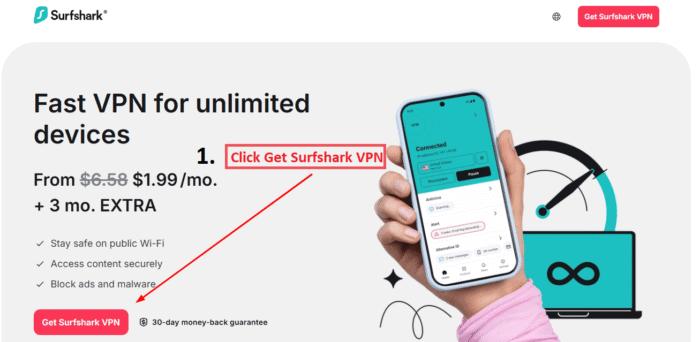
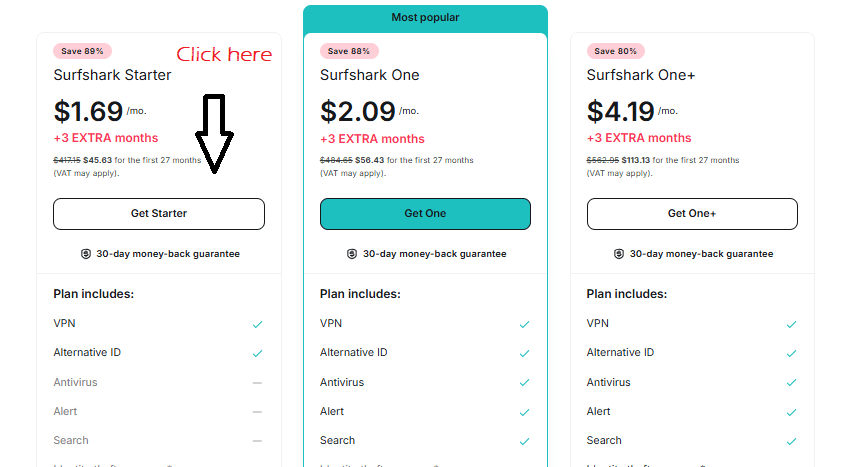
Step 2: Select the 2-Year Plan
You’ll see three plans. Choose the 2-year option, which gives you:
- $1.69/month – Save 89%
- 3 Free Months 2 years plan included in the Starter Deal
- Lowest cost per month with maximum value
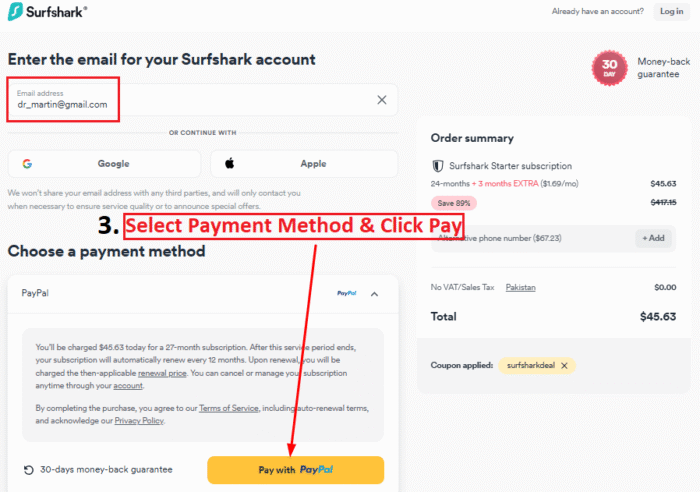
Step 3: Enter Your Email
Add your email address to create a new account, then choose a payment method and click Pay.
Available payment options include:
Credit/Debit Card PayPal Google Pay / Apple Pay Cryptocurrency (BTC, ETH, and more)
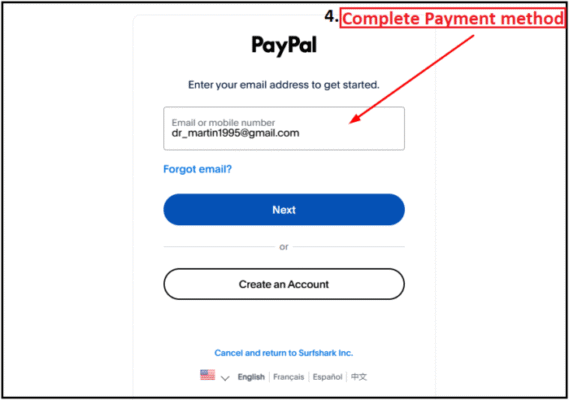
Step 4: Complete Your Purchase checkout process.
After choosing your payment method, complete the checkout process. You’ll receive a confirmation email, and your Surfshark account will be active immediately.
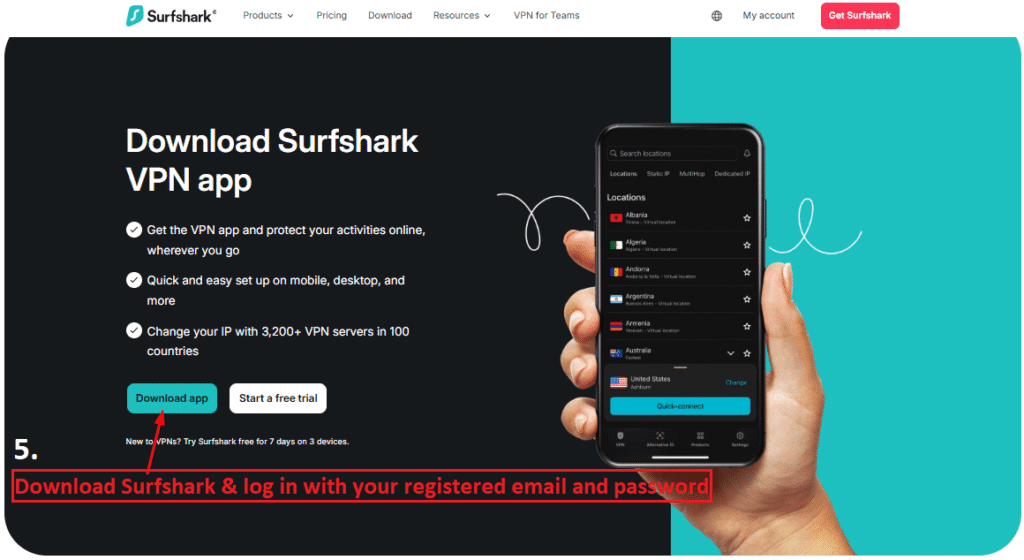
Step 5: Download the Surfshark App and Log In
Download the Surfshark app and sign in to start using Surfshark.
Step 6: Connect to a VPN Server
Click Quick Connect to get the fastest server, or choose a server location manually based on your need.
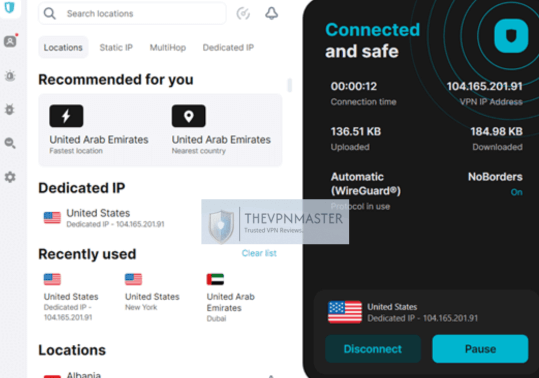
like unblocking Geo Blocks or streaming content from specific countries. This will also help you Hide IP address and protect your privacy online.
Once connected, you can now start watching streamings like Netflix, Sky Go, HBO Max, Hotstar, Colors TV, and sports like Ten Sports, UEFA champions league, Ryder Cup, India VS Pakistan Asia cup Final and more no matter where you are.
See! How to Buy Surfshark with PayPal.
Optional: Recommended Features
- Kill Switch: Cuts internet connection if the VPN drops to prevent data leaks.
- CleanWeb: Blocks ads, trackers, and malware across your browsing.
- MultiHop: Connects through two servers for double encryption.
30-Day Money-Back Guarantee — Get a full refund anytime within 30 days.
How many family members Can Use Surfshark at Once?
One of Surfshark’s biggest advantages is that it supports unlimited simultaneous logins.
That means you can protect all your devices — smartphones, laptops, tablets, smart TVs — and even share your account with family members. In fact, everyone in your family can use Surfshark by simply logging in on their own devices, all under one subscription.
No need to upgrade plans or pay extra just to secure more devices — it’s all included.
30-Day Money-Back Guarantee — Get a full refund anytime within 30 days.
What servers does Surfshark have?
As of 2026, Surfshark offers a large network of over 3,200 servers in more than 100 countries. These servers are built for speed and performance, with many using 10 Gbps ports for faster connections. The network is spread across six continents, giving users reliable and fast access no matter where they are.
Key highlights:
- Total Servers: 3,200+
- Countries Covered: 100+
- Speed: Many servers run on high-speed 10 Gbps ports
- Global Reach: Available across 6 continents for worldwide access
30-Day Money-Back Guarantee — Get a full refund anytime within 30 days.
What locations does Surfshark have?
With servers in 100 countries, Surfshark gives you access to global content from nearly anywhere.
Popular countries include:
- United States (multiple cities)
- United Kingdom
- Canada
- Germany
- India
- Japan
- Australia
- UAE, Singapore, Brazil, and many more.
This wide coverage makes it easy to bypass content restrictions, watch region-specific shows, or maintain fast speeds even while traveling.
Explore more about regional access in our articles on Geo Blocks and VPN Comparison Surfshark vs NordVPN.
30-Day Money-Back Guarantee — Get a full refund anytime within 30 days.
Why Use a VPN?
Learn more about the Benefits of Using a Best VPN and understand the difference in our Free vs Paid VPN guide.
If you want to understand How VPNs Work in 2026 and what innovations to expect, check out our latest article.
For streaming fans concerned about data usage, explore our guide on Data Limits when using VPNs.
30-Day Money-Back Guarantee — Get a full refund anytime within 30 days.
How to compare best VPNs in 2026
See how Surfshark stacks up in our VPN Comparison Surfshark vs NordVPN and Surfshark vs ExpressVPN reviews.
Find the best prices with our curated Best VPN Deals page.
Discover the top providers with our Best VPN Services in 2026 guide.
You’re Ready to Go!
Surfshark is now active on your device. Enjoy secure, unrestricted internet access with full privacy — for just $1.69/month, backed by a 30-day refund guarantee.
30-Day Money-Back Guarantee — Get a full refund anytime within 30 days.